
The Best IPTV Players in 2026: Comprehensive Guide for Firestick, Android TV, Smart TVs & Apple TV
An exhaustive technical and hands-on comparison of the 7 leading IPTV players in 2026. Discover the ideal player for your device, evaluate EPG rendering, audio codecs, and buffer management, and learn how to optimize your streaming setup.
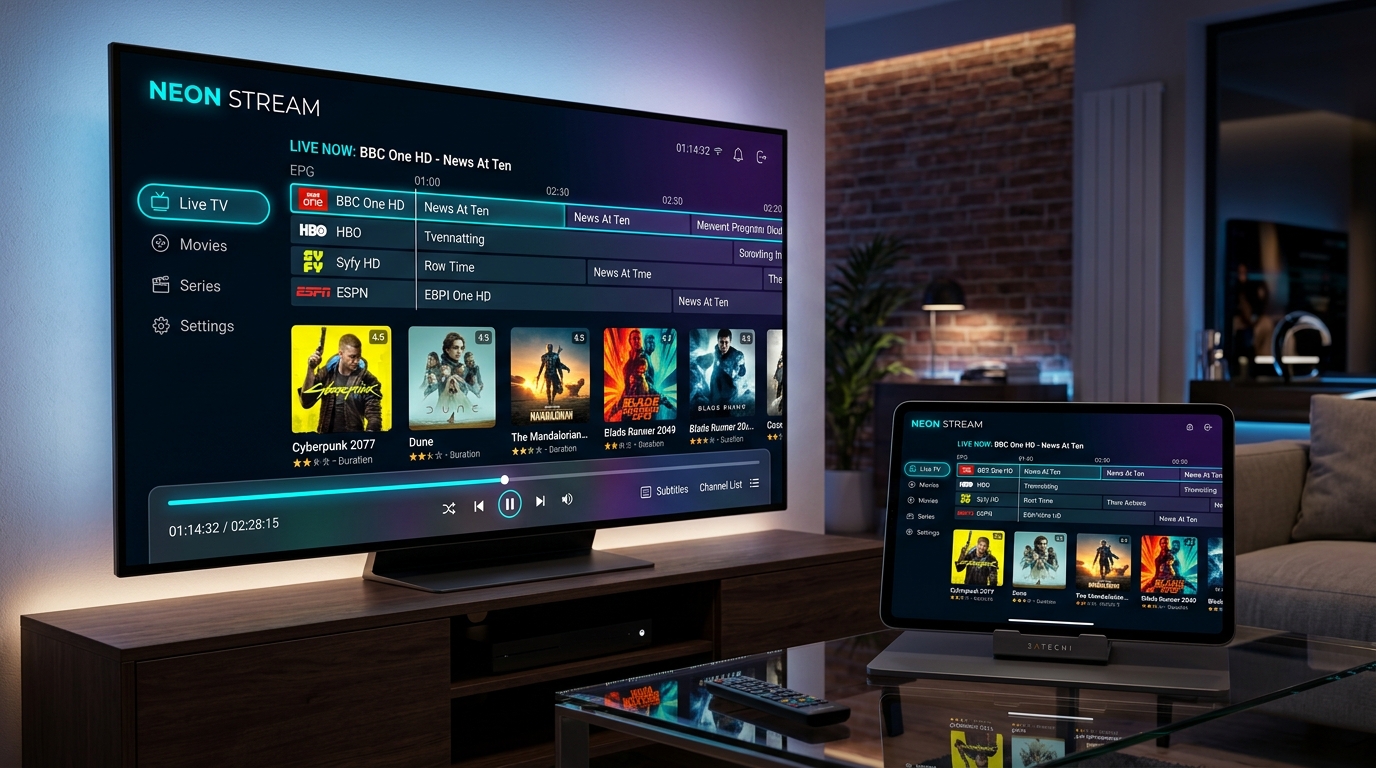
- Introduction: Why Your IPTV Player Defines Your Viewing Experience
- Core Technical Criteria for Evaluating IPTV Players in 2026
- 1. TiviMate IPTV Player: The Undisputed Leader for Android TV and Firestick
- 2. IPTV Smarters Pro: The Universal Cross-Platform Standard
- 3. IBO Player Pro: The Premier Native Solution for Samsung & LG Smart TVs
- 4. OTT Navigator: Deep Customization for Advanced Enthusiasts
- 5. IPTVX: The Definitive Premium Experience for Apple TV and iOS
- 6. Smart IPTV (SIPTV): The Lightweight Classic Pioneer
- 7. VLC Media Player & Desktop Clients for Windows PC and macOS
- Comprehensive Head-to-Head Comparison Matrix
- Hardware-Specific Player Recommendations
- Step-by-Step Configuration Workflow with TVoxar IPTV
- Troubleshooting Common IPTV Player Errors
- Frequently Asked Questions About IPTV Players
- Summary and Final Recommendation
An IPTV subscription pass delivers high-resolution digital streams from around the globe directly to your living room, but the actual day-to-day viewing experience depends heavily on the software application you install on your television, streaming stick, tablet, or computer. Two viewers using the exact same broadcast stream can have completely different experiences based entirely on the IPTV player handling the connection. One viewer might experience rapid channel switching, rich 7-day electronic program guide schedules, fluid 60 frames-per-second sports playback, and seamless multi-screen viewing. Meanwhile, another viewer using a poorly optimized player might struggle with clunky mouse emulation, desynchronized audio, crashed playlist caches, and sluggish channel navigation.
The IPTV application serves as the bridge between your provider's streaming infrastructure and your display's hardware video decoder. It parses digital playlist files, negotiates transport protocols, organizes thousands of live television channels and on-demand video assets into intuitive category trees, renders program guides, manages audio passthrough to home theater sound systems, and dynamically buffers video packets to cushion against momentary broadband fluctuations.
In this comprehensive 2026 guide, the TVoxar engineering team tests, benchmarks, and analyzes the seven leading IPTV player applications currently available across Amazon Fire TV, Android TV, Samsung Tizen, LG webOS, Apple tvOS, Windows, and macOS ecosystems. We examine their underlying video engines, hardware decoding capabilities, playlist connection methods, user interface responsiveness, and practical advantages to help you make an informed choice for your home entertainment setup.
Core Technical Criteria for Evaluating IPTV Players in 2026
Before examining individual applications, it is essential to understand the architectural criteria that differentiate a premium media player from an unstable or poorly coded application. Evaluating an IPTV player requires looking far beyond its cosmetic visual design.
1. Video Codec Support and Hardware Acceleration Engine
Modern IPTV broadcasts employ advanced video compression algorithms to deliver crystal-clear picture quality without consuming excessive network bandwidth. Premium live sports streams are typically encoded in H.264 (AVC) or H.265 (HEVC) at high bitrates with native 50 or 60 frames per second. High-tier cinematic movies and on-demand releases often leverage HEVC 10-bit color depth or next-generation AV1 encoding with HDR10 and Dolby Vision metadata.
An exceptional IPTV player must support: - Hardware Acceleration (HW / HW+): Offloading video decoding tasks directly to the streaming device's graphics processing unit (GPU) rather than forcing the central processing unit (CPU) to perform software decoding. Hardware decoding prevents thermal throttling, eliminates frame drops, and keeps device temperatures cool during multi-hour sporting events. - Interlaced Stream Deinterlacing: Converting interlaced broadcast signals (1080i) into progressive frames (1080p) using high-quality motion-adaptive deinterlacing algorithms to prevent comb-like jagged motion artifacts on fast-moving sports broadcasts. - Dynamic Framerate Matching (AFR): Synchronizing your television display's native refresh rate (e.g., 50Hz, 59.94Hz, 60Hz, or 24Hz) with the incoming video stream's source framerate to eradicate judder and micro-stuttering.
2. Playlist Parsing and Electronic Program Guide (EPG) Architecture
Modern IPTV services catalog thousands of live television channels, sports feeds, and tens of thousands of video-on-demand titles. A lightweight text playlist file can easily contain several megabytes of raw M3U text data. Inferior players parse this data sequentially into volatile system RAM on every launch, resulting in application freezes, unresponsive remotes, and out-of-memory crashes on memory-constrained devices like the Amazon Fire TV Stick.
The industry gold standard utilizes: - Xtream Codes API Integration: Rather than parsing a monolithic M3U text file, the player communicates with the streaming server via structured JSON endpoints. This architecture fetches channel categories, stream credentials, and program guide data asynchronously on demand, reducing initial boot times from minutes to fractions of a second. - SQLite Database Caching: Storing channel metadata, channel logos, and program schedules in a local indexed SQLite database so that browsing categories is instantaneous even before background data sync completes. - Automated XMLTV Schedule Parsing: Downloading and mapping multi-day EPG schedule files, matching guide data automatically via channel identification tags, and maintaining synchronized timezone offsets.
3. Jitter Buffer Management and Stream Resilience
Live broadcast packets travel across numerous public internet transit nodes before reaching your router. Minor packet jitter—where packets arrive out of sequential order or experience millisecond delays—is an inherent characteristic of the internet.
A top-performing IPTV player implements: - Configurable Jitter Buffering: Allowing users to specify whether the internal video buffer holds 0.5 seconds, 3 seconds, 5 seconds, or 10 seconds of video data before playback commences. A well-tuned buffer cushions against momentary Wi-Fi radio interference without introducing noticeable lag. - Automated Reconnection Handshakes: Re-establishing stalled TCP connections or switching to redundant server mirrors seamlessly in the background without abruptly dumping the viewer back to the home channel menu. - Adaptive Bitrate Switching: Detecting packet congestion and dynamically shifting down to an alternate stream profile if broadband throughput temporarily dips below baseline requirements.
4. TV-First Navigation and Remote Control Ergonomics
Mobile-oriented media apps designed for touchscreens are notoriously frustrating to navigate on a television screen using a physical directional remote control. A true television IPTV player features: - 10-Foot User Interface Design: High-contrast typography, prominent active-focus indicators, intuitive horizontal category carousels, and minimal nesting depths designed specifically for comfortable viewing from across a living room. - Remote Shortcut Mapping: Instant access to audio track selection, subtitle toggles, aspect ratio controls, channel favorites, and recent channel history via standard remote buttons (e.g., Long Press Select, Menu, Rewind/Fast-Forward). - Sub-Second Channel Zapping: Pre-buffering channel transport streams or utilizing rapid keyframe decoding to enable fast channel switching reminiscent of traditional high-end satellite set-top boxes.
5. Multi-Channel Audio Passthrough and Surround Sound
Sports stadiums, live musical broadcasts, and blockbuster films rely heavily on immersive multi-channel soundstages. The player software must support direct bitstream audio passthrough (HDMI Passthrough) for: - Dolby Digital (AC-3) and Dolby Digital Plus (E-AC-3): Delivering genuine 5.1 surround sound to external soundbars and audio/video receivers without downmixing to flat stereo sound. - Software Downmixing Fallback: Seamlessly downmixing multi-channel audio tracks to stereo for secondary bedrooms or televisions operating without dedicated external sound systems. - Sub-Millisecond Audio Sync Offset: Permitting granular audio delay adjustment (-500ms to +500ms) to eliminate lip-sync discrepancies caused by Bluetooth audio lag or soundbar processing latency.
1. TiviMate IPTV Player: The Undisputed Leader for Android TV and Firestick
For viewers operating hardware running Google Android TV, Google TV, or Amazon Fire OS, TiviMate remains the absolute gold standard by which all other IPTV player software is judged. Developed by an independent engineer focused exclusively on TV-remote usability, TiviMate delivers an interface so polished and responsive that it rivals the user experience of premium commercial cable boxes. For step-by-step setup instructions, explore our complete TiviMate setup tutorial.
User Interface and Navigation
TiviMate's primary distinguishing feature is its modern electronic program guide interface. Unlike traditional IPTV players that isolate channels into separate full-screen lists, TiviMate displays an interactive, translucent TV guide grid over active video playback. The active broadcast continues playing smoothly in the background or within an adjustable picture-in-picture window while you scroll through upcoming fixtures, read comprehensive episode synopses, and manage your favorites list.
Key interface highlights include: - Customizable Channel Grouping: You can create custom channel groups, hide country packages you never watch, reorder channels manually, or assign custom numbers to mimic your historical domestic broadcast layout. - Search and Global Discovery: Rapid global search queries across thousands of live channels, historical catchup broadcasts, and on-demand assets simultaneously. - Multiple Theme Options: High-contrast dark themes, subtle midnight navy palettes, customizable font sizes, and configurable channel row heights to accommodate any living room lighting condition and television screen size.
Advanced Feature Breakdown
Beyond its pristine visual appearance, TiviMate incorporates heavy-duty streaming capabilities tailored directly for sports fans and demanding entertainment viewers:
- Multi-View Screen Splitting: During high-intensity sports weekends, TiviMate allows viewers to display up to nine live video feeds on screen simultaneously. You can choose a 2-screen split, 3-screen layout, or 4-screen quad grid, toggling audio between active windows with a single tap of your remote's arrow keys.
- Comprehensive Catch-Up Support: On channels where TVoxar provides historical catchup data, TiviMate places a distinct clock icon next to previous broadcasts in the EPG grid. Scrolling backward allows you to initiate catchup playback effortlessly, with complete pause, rewind, and fast-forward scrubbing capabilities.
- Automated Recording Scheduler: TiviMate allows scheduling automated recordings of upcoming live programs directly to your device's internal storage, an attached USB flash drive, or a local Network Attached Storage (NAS) share via the SMB protocol.
- Multiple Playlist Management: Seamlessly load multiple playlists simultaneously, color-code distinct accounts, and merge multiple EPG sources to fill in missing program schedule data.
System Requirements and Pricing Model
- Operating System: Android TV 5.0+, Google TV, Amazon Fire OS 5.0+.
- Recommended Hardware: Amazon Fire TV Stick 4K / Max (see our Firestick installation walkthrough), Google TV with Chromecast, Nvidia Shield TV (see our Android setup guide), or Formuler streaming boxes.
- Licensing: TiviMate offers a limited free tier that provides basic playback functionality. Unlocking its hallmark capabilities (Multi-view, manual category management, catch-up, recording, and multiple playlists) requires TiviMate Premium, available as an annual subscription or a one-time lifetime license managed via the Google Play Store or the dedicated TiviMate Companion application.
TVoxar Engineering Verdict: If your streaming device is an Amazon Firestick or an Android TV box, TiviMate Premium paired with a TVoxar IPTV pass is the ultimate streaming combination available anywhere on the market today.
2. IPTV Smarters Pro: The Universal Cross-Platform Standard
While TiviMate dominates the television-specific Android ecosystem, IPTV Smarters Pro (often distributed as Smarters Player Lite on iOS and Apple platforms) holds the title of the most versatile and globally recognized cross-platform IPTV application. Whether you need to watch on an Amazon Fire TV stick, an iPhone, an Android tablet, a Windows PC, a Mac laptop, or a Smart TV, IPTV Smarters Pro provides a familiar, standardized interface across every screen. For an in-depth walkthrough, read our complete IPTV Smarters Pro setup guide.
Cross-Platform Availability and Ecosystem Integration
One of the greatest operational friction points for households with diverse hardware is teaching family members multiple different software interfaces. IPTV Smarters Pro eliminates this problem by providing a cohesive tile-based dashboard that operates identically across: - Mobile Platforms: Android smartphones, tablets, Apple iPhones, and iPads. - Living Room Devices: Amazon Fire TV devices, Android TV, Nvidia Shield, and Google TV. - Desktop Operating Systems: Windows 10/11 and macOS desktop clients. - Smart TV App Stores: Available directly on select Samsung Tizen and LG webOS television models.
Dashboard Architecture and Usability
Upon launching IPTV Smarters Pro and authenticating via Xtream Codes API, users are greeted with a clean, vibrant 4-tile home dashboard: 1. Live TV: Comprehensive live television channels categorized by country, genre, sports leagues, and premium networks with integrated search. 2. Movies: On-demand cinema releases organized by genre, release year, and studio, featuring high-resolution poster art, cast lists, trailers, and plot synopses. 3. Series: Television box sets grouped logically by Season and Episode, with watched status tracking and subtitle configuration. 4. Multi-Screen: Built-in dual, triple, and quad-screen viewing modes tailored for multi-match sports afternoons.
Technical Performance and Player Engine Configuration
Under its hood, IPTV Smarters Pro features a flexible player architecture that allows users to toggle between two distinct internal decoding engines: - Built-in Player (VLC Engine): Exceptional compatibility with complex audio codecs, AC-3 surround sound streams, and multi-track container formats. - Hardware ExoPlayer Engine: Recommended for lower-powered streaming sticks, leveraging native Android media frameworks to deliver ultra-low CPU utilization and butter-smooth 60fps live sports playback. - External Player Integration: If a particular stream proves problematic, Smarters Pro allows you to delegate video rendering to external third-party media players such as VLC Media Player or MX Player with a single click.
Best Practices for IPTV Smarters Pro Users
To maximize performance when using IPTV Smarters Pro with TVoxar: - Always connect using Xtream Codes API rather than raw M3U text links. This accelerates category loading and enables automated electronic program guide syncing. - Set the EPG schedule update interval to Every 24 Hours in the application settings menu. - Enable Open Buffer or increase the buffer cache size to Medium if connecting over residential Wi-Fi networks to prevent micro-buffering. Learn more in our anti-buffering troubleshooting guide.
3. IBO Player Pro: The Premier Native Solution for Samsung & LG Smart TVs
Many television owners prefer to keep their living room entertainment center minimalist and wire-free, opting not to plug in external HDMI streaming dongles or power bricks. For viewers utilizing native Samsung Smart TVs (Tizen OS) or LG Smart TVs (webOS), IBO Player Pro has established itself as the leading native streaming application in 2026. Explore our dedicated Samsung and LG installation tutorial or check our Smart TV app comparison.
The Smart TV Operating System Challenge
Native smart television platforms differ fundamentally from Android TV and Fire OS: - They operate on custom proprietary operating systems (Samsung Tizen and LG webOS). - They enforce strict application sandboxing and store validation rules. - They do not support sideloading APK files via the Downloader app. - Television onboard processors have significantly less RAM and processing power than dedicated streaming boxes like the Apple TV 4K or Fire TV Cube.
Older smart TV applications frequently suffered from memory leaks, crashing whenever a user attempted to load a large channel lineup. IBO Player Pro solves these architectural bottlenecks through a lightweight, hardware-accelerated code framework optimized specifically for smart TV processors.
Remote Web-Based Playlist Management
Typing complex, 60-character streaming server URLs, long alphanumeric usernames, and intricate passwords using a directional television remote control is notoriously tedious and prone to typos.
IBO Player Pro bypasses this pain point entirely through its centralized cloud-management architecture: 1. When you install and launch IBO Player Pro from the official Samsung Apps Store or LG Content Store, the welcome screen displays two distinct identifiers: your TV's MAC Address and a unique 6-digit Device Key. 2. On your mobile phone, tablet, or desktop computer, you visit the secure IBO Player management portal (iboplayer.com/manage). 3. You input the displayed MAC Address and Device Key to access your television's remote settings. 4. You click Add XC Playlist, enter your TVoxar subscription credentials (Server Portal URL, Username, and Password), and save. 5. Returning to your smart TV, you click Reload, and your complete TVoxar channel guide, sports categories, and on-demand movies load instantly.
Strengths and Trade-Offs of IBO Player Pro
Strengths: - Zero External Hardware: Runs directly on your television display using your original TV remote control. - Hardware-Accelerated Decoding: Silky-smooth 4K UHD and 60fps sports playback on mid-tier and premium OLED and QLED screens. - Comprehensive EPG Support: Automatically populates program schedules, channel logos, and upcoming broadcast timelines. - Parental Controls: PIN-lock adult or sensitive categories directly within the TV interface.
Trade-Offs: - Licensing Requirement: IBO Player Pro operates on a 7-day free trial, after which it requires a modest one-time activation license fee paid directly to the app developers. This software license is completely independent of your TVoxar streaming subscription. - No Advanced Multi-View: Because smart TV onboard chipsets have strict hardware decoding limits, IBO Player Pro cannot display multi-view quad screens simultaneously like TiviMate on Android TV.
4. OTT Navigator: Deep Customization for Advanced Enthusiasts
If you are a power user, system administrator, or home theater enthusiast who demands complete granular control over every aspect of media playback, OTT Navigator is the most feature-dense IPTV application available on the Android ecosystem.
Diagnostic Tools and Stream Health Analytics
While casual viewers appreciate simplicity, technical users want transparency. OTT Navigator includes an extraordinary suite of real-time diagnostic overlays: - Real-Time Stream Health Telemetry: Monitor incoming stream bitrates (kbps), audio codecs, video resolutions, dropped frames, buffer fill percentages, and network latency in real time. - Network Jitter Graphs: Visual graphs showing packet arrival regularity, helping you instantly distinguish between provider-side issues, local Wi-Fi radio dropouts, or ISP throttling. - Adaptive Codec Selection: Specify separate default hardware and software decoders for Live TV, VOD movies, and Catch-up streams individually.
Studio and Channel Organization Capabilities
OTT Navigator shines in its channel filtering and library organization engine: - Intelligent Category Merging: Automatically combine sports feeds across different international regions into a unified "Live Football" or "Motorsports" mega-category. - Channel Fallback Routing: If a primary high-bitrate 4K stream encounters an issue, OTT Navigator can be configured to automatically roll over to an alternative 1080p mirror of the same network without interrupting your viewing. - Customizable Buffer Thresholds: Configure micro-buffers (200ms) for ultra-fast channel zapping on gigabit ethernet, or deep buffers (10,000ms) for high-latency mobile hotspot connections.
Considerations for Everyday Viewers
Because OTT Navigator exposes hundreds of configuration options, nested menus, and technical toggles, its interface can feel overwhelming for beginners or family members who prefer a straightforward, cable-box-style experience. For dedicated home theater installations where maximum technical control is desired, however, it remains an indispensable tool.
5. IPTVX: The Definitive Premium Experience for Apple TV and iOS
The Apple ecosystem represents a unique tier in the streaming market. Hardware like the Apple TV 4K features custom silicon processors (Apple A15 Bionic) that vastly outperform typical streaming sticks in raw compute and graphic rendering power. However, Apple's strict tvOS app guidelines historically limited the availability of high-end IPTV players.
IPTVX bridges this gap, providing an ultra-premium, Apple-native IPTV streaming client engineered specifically for tvOS, iOS, iPadOS, and macOS. For configuration guidance on Apple hardware, consult our Apple TV and iOS setup guide.
Aesthetic Excellence and Apple TV Native Design
IPTVX does not look or feel like a generic multi-platform port. It adheres strictly to Apple's Human Interface Guidelines: - Fluid Motion and Parallax Visuals: Posters and category tiles respond with subtle, tactile 3D parallax effects as you glide across the Apple TV remote trackpad. - Netflix-Style Content Shelves: Video on demand, trending releases, and favorite live television channels are presented in dynamic horizontal carousels with immersive background artwork and cinematic previews. - Top Shelf Integration: Pinned channels and currently playing sports fixtures appear directly on the Apple TV home screen Top Shelf, allowing you to jump straight into a live broadcast without even opening the app.
Advanced Capabilities in the Apple Ecosystem
- iCloud Synchronization: Favorites, customized category orders, watched episode progress, and stream configurations sync automatically across your Apple TV, iPhone, iPad, and Mac computer via your personal Apple ID.
- Dolby Vision and Spatial Audio Passthrough: Full native passthrough of high-dynamic-range video and multi-channel spatial audio to Apple AirPods Pro, AirPods Max, and Apple HomePod stereo pairs.
- Picture-in-Picture (PiP): Seamless native tvOS Picture-in-Picture allows you to minimize a live sports match to the corner of the screen while browsing other applications or settings.
Licensing and Hardware Fit
- Platform: Apple TV 4K, Apple TV HD, iPhone, iPad, Mac (Apple Silicon).
- Pricing: IPTVX operates on a freemium model offering monthly subscriptions, annual passes, or a one-time lifetime license.
- Best Suited For: Viewers who have invested heavily in the Apple hardware ecosystem and demand an aesthetic and functional standard that matches first-party streaming services.
6. Smart IPTV (SIPTV): The Lightweight Classic Pioneer
No retrospective of IPTV software would be complete without acknowledging Smart IPTV, commonly abbreviated as SIPTV. Released in the early days of smart televisions, SIPTV was the very first application that demonstrated the viability of running digital streaming playlists directly on Samsung and LG television displays without requiring external set-top boxes.
Architectural Simplicity
SIPTV's design philosophy is rooted in extreme minimalism: - Ultra-Lightweight Footprint: The application occupies only a few megabytes of storage space and executes minimal background processes. - Fast Launch Times: Because it avoids complex animations, dynamic carousels, or rich actor databases, it boots rapidly even on older, resource-constrained smart TVs manufactured nearly a decade ago. - MAC-Based Web Provisioning: Like IBO Player, SIPTV uses a MAC address upload system where users upload their M3U playlist URL via siptv.app/mylist.
Modern Limitations in 2026
While Smart IPTV holds historical significance and remains operational on many displays, it shows its age when compared against modern 2026 alternatives: - Dated Text-Heavy Interface: Channel lists and program information are displayed in simple static text rows reminiscent of legacy 1990s teletext or early digital satellite menus. - Limited VOD Series Handling: It struggles to organize multi-season television box sets, lacking automated episode tracking, resume playback markers, and subtitle management. - Lack of Multi-View: No ability to split screens during simultaneous live sports fixtures.
TVoxar Recommendation: Smart IPTV remains a viable emergency fallback for older smart televisions that lack the processing power to run IBO Player Pro smoothly, but modern viewers will significantly prefer contemporary players.
7. VLC Media Player & Desktop Clients for Windows PC and macOS
While living room televisions account for the majority of IPTV viewing, thousands of subscribers stream live television on desktop workstations, multi-monitor trading desks, gaming laptops, and home office computers.
VLC Media Player (The Universal Desktop Swiss Army Knife)
VLC Media Player by VideoLAN is the world's most versatile open-source desktop media player. While it lacks the stylized channel guide menus of dedicated television apps, it provides uncompromised raw network stream rendering:
- Raw Network Stream Playback: Simply open VLC, press
Ctrl+N(orCmd+Non macOS), paste your TVoxar M3U Plus playlist URL, and press Enter. VLC immediately streams your live broadcast. - Universal Codec Engine: Plays virtually any container format, audio encoding, or transport stream standard without requiring external third-party codec packs.
- Granular Deinterlacing and Aspect Control: Right-click during live sports playback to cycle between Yadif (2x), Bob, or Linear deinterlacing algorithms to eliminate motion comb artifacts on high-motion feeds.
- Picture-in-Picture Workstation Streaming: Resize VLC to a compact borderless window, pin it to "Always on Top," and monitor live news broadcasts or sports fixtures while working in spreadsheets or development environments.
Dedicated Desktop IPTV Clients
For desktop users who desire a full living-room-style interface with categorized channel lists, electronic program guides, and VOD poster walls, two standout solutions exist: 1. IPTV Smarters Pro Desktop: The official Windows (.exe) and macOS (.dmg) client provides the identical rich 4-tile dashboard found on television devices, optimized for keyboard and mouse navigation. 2. MyIPTV Player (Microsoft Store): A native Universal Windows Platform (UWP) application with automated EPG scheduling, favorites pinning, and low background RAM utilization.
Comprehensive Head-to-Head Comparison Matrix
To assist you in selecting the ideal application for your hardware and entertainment preferences, our technical team has benchmarked all seven leading players across key operational parameters:
| Feature / Metric | TiviMate Premium | IPTV Smarters Pro | IBO Player Pro | OTT Navigator | IPTVX | Smart IPTV (SIPTV) | VLC Media Player |
|---|---|---|---|---|---|---|---|
| Primary Platform | Android TV, Fire OS | Universal Cross-Platform | Samsung Tizen, LG webOS | Android TV, Android Mobile | Apple tvOS, iOS, macOS | Smart TVs (Tizen/webOS) | Windows, Mac, Linux |
| UI Design Style | Cable/Satellite TV Guide | Clean 4-Tile Dashboard | Modern Smart TV Portal | Power-User Diagnostic | Apple-Native Cinematic | Minimalist Text Grid | Bare Media Window |
| Connection Protocols | Xtream Codes, M3U | Xtream Codes, M3U | Xtream Codes, M3U | Xtream Codes, M3U | Xtream Codes, M3U | M3U Text Playlist | Raw M3U, Stream URL |
| Multi-View Screen Splitting | Up to 9 screens | 2 to 4 screens | No (Hardware Limited) | Up to 4 screens | Native Apple PiP | No | Multiple Windows |
| EPG Guide Quality | Industry Best (Interactive) | High (Category-based) | High (Standard Grid) | High (Highly Customizable) | Very High (Dynamic) | Basic Text Rows | Basic Playlist Info |
| Catch-Up & Timeshift | Full (Integrated EPG) | Full (Dedicated Menu) | Supported on select TVs | Full (Timeline view) | Full (Archive support) | Minimal | No |
| Local Recording (DVR) | Yes (Internal, USB, SMB) | Limited / App Dependent | No | Yes (Advanced options) | No | No | Raw Stream Record |
| Remote Web Upload | No | No | Yes (MAC + Device Key) | No | No | Yes (MAC Address) | No |
| Audio Passthrough | AC-3, E-AC-3, DTS | VLC/Exo Engine Toggle | TV Native Passthrough | Full Custom Passthrough | Dolby Atmos Passthrough | TV Passthrough | Full Bitstream Passthrough |
| License Type | Freemium / Paid Lifetime | Free / In-App Purchases | 7-day trial + Paid | Free with Pro Upgrade | Freemium / Paid | One-time Paid License | 100% Free Open Source |
Hardware-Specific Player Recommendations
Rather than searching aimlessly, use this definitive hardware reference guide to choose the optimal software for your specific devices:
1. Amazon Fire TV Stick 4K, 4K Max, and Fire TV Cube - Primary Recommendation: TiviMate IPTV Player (Sideload via the free Downloader app; see our Firestick installation tutorial). - Secondary Alternative: IPTV Smarters Pro (Clean, ad-free APK sideload). - Performance Advice: On Firestick devices, always access Firestick Settings > Applications > Manage Installed Applications every few weeks to clear the cached EPG images and thumbnails to preserve fast boot times.
2. Nvidia Shield TV, Google TV with Chromecast, and Android TV Boxes - Primary Recommendation: TiviMate IPTV Player (Available directly through the official Google Play Store). - Secondary Alternative: OTT Navigator (Ideal for users who enjoy monitoring stream health metrics). - Performance Advice: Connect your Android TV box via a physical Ethernet LAN cable whenever possible to eliminate Wi-Fi packet drops during 4K 60fps broadcasts. Follow our Android TV configuration guide.
3. Samsung Tizen OS & LG webOS Smart TVs - Primary Recommendation: IBO Player Pro (Download directly from the Samsung Apps Store or LG Content Store). - Secondary Alternative: IPTV Smarters Pro (Available on select models) or Nanomid Player. - Performance Advice: Upload your credentials via their web management portal on a mobile phone to prevent typing mistakes. Follow our Samsung & LG Smart TV installation guide.
4. Apple TV 4K, iPhone, iPad, and macOS - Primary Recommendation: IPTVX (Download from the Apple App Store for an authentic Apple-quality interface). - Secondary Alternative: Smarters Player Lite or GSE Smart IPTV. - Performance Advice: Enable iCloud sync so that your favorites and channel history synchronize automatically across all your Apple hardware. Follow our Apple TV and iOS guide.
5. Windows PC and Mac Desktop Workstations - Primary Recommendation: IPTV Smarters Pro Desktop (Full category navigation and windowed mode). - Secondary Alternative: VLC Media Player (Instant stream verification and lightweight multi-tasking). Follow our Windows & Mac setup guide.
Step-by-Step Configuration Workflow with TVoxar IPTV
Connecting your TVoxar subscription to any modern IPTV player is an intuitive process that takes less than three minutes when using the standardized Xtream Codes API protocol.
Step 1: Gather Your Account Credentials
When you activate a TVoxar IPTV pass, an automated confirmation email delivers your account parameters:
- Server Portal URL: The active domain and port address of our load-balanced edge server (e.g., http://tvoxar-portal.me:8080).
- Username: Your unique, case-sensitive account identifier.
- Password: Your secure account password.
- M3U Plus URL: A fallback web link containing your complete channel lineup.
Step 2: Open Your Player and Select Xtream Codes API Launch your chosen player application (TiviMate, Smarters Pro, or IBO Player). When prompted to choose an authentication method: - Select Login with Xtream Codes API (Do not choose raw M3U playlist unless your app explicitly lacks Xtream Codes support).
Step 3: Input Account Parameters Accurately
Complete the four configuration fields:
1. Playlist Name / Any Name: Enter TVoxar IPTV (this label is for your reference).
2. Server URL: Carefully input or paste the complete server address, including http:// and the trailing port number.
3. Username: Enter your username, ensuring there are no accidental leading or trailing spaces.
4. Password: Enter your password, paying strict attention to capitalization.
Step 4: Finalize and Sync Data Click Add User, Connect, or Save. Within ten to thirty seconds: - The player communicates with TVoxar's Tier-1 edge servers. - Category folders for Live TV, Sports, Movies, and Series are created. - The 7-day electronic program guide schedule downloads and maps to corresponding channel IDs automatically. - You can begin exploring your live sports channels and international networks immediately.
Troubleshooting Common IPTV Player Errors
Even with top-tier player software, occasional configuration hurdles or network anomalies can arise. Here is how to diagnose and resolve the four most common IPTV player errors:
1. Error 401 / Error 403: "Authorization Failed" or "Invalid Credentials" - Root Cause: A character mismatch in your login credentials, an expired subscription period, or accidental whitespace introduced when copying and pasting. - Resolution: Double-check your username and password character by character. Ensure your streaming device's system clock is set to automatic network time—if your device clock drifts by more than a few minutes, SSL handshakes and authentication tokens will fail. If issues persist, contact our 24/7 technical team.
2. "Playlist Parse Failed" or Endless Buffering Circle on Boot - Root Cause: Network timeout between your local internet service provider and the playlist server, or corrupted cached data in the player database. - Resolution: Reboot your Wi-Fi router and streaming device. On Firestick or Android TV, clear the application cache under Settings > Applications > Manage Installed Applications. If your ISP is actively inspecting and throttling streaming packets, connect to a reputable virtual private network. Learn how in our best VPNs for IPTV guide.
3. Video Micro-Stuttering and Audio-Video Desync - Root Cause: The player's video engine is attempting software decoding (SW) on a high-bitrate 60fps stream, or motion smoothing settings on your television are conflicting with incoming framerates. - Resolution: In your player settings, change the video decoder to Hardware Acceleration (HW / HW+). Turn off aggressive motion smoothing (e.g., "Auto Motion Plus" on Samsung or "TruMotion" on LG) in your television's picture settings menu. Review our comprehensive guide on fixing IPTV buffering and freezing.
4. Missing or Incomplete Electronic Program Guide (EPG) - Root Cause: The player's local XMLTV cache has expired, or the timezone offset is misaligned with your local clock. - Resolution: In player settings (such as TiviMate or Smarters), navigate to the EPG configuration menu and select Clear EPG Data followed by Update EPG Now. Ensure the timezone offset setting matches your actual geographic location.
Frequently Asked Questions About IPTV Players
Do I need to purchase an IPTV player separately from my TVoxar subscription? Your TVoxar subscription covers full access to our global streaming infrastructure, redundant edge servers, Anti-Freeze 9.3 protocols, live sports feeds, and VOD library. Many excellent IPTV player applications (such as IPTV Smarters Pro and VLC) are completely free. Premium specialized applications like TiviMate Premium or IBO Player Pro are independent software products created by third-party software developers; if you choose to unlock their optional premium tiers, their modest license fees are paid directly to those respective application developers.
What is the practical difference between Xtream Codes API and an M3U Plus playlist? An M3U Plus link is a raw text file containing thousands of channel stream links and metadata rows. Downloading and parsing this single text file on every launch consumes significant device memory and often leads to app freezing. In contrast, the Xtream Codes API is a modern, structured database protocol. It queries our servers asynchronously for specific categories and stream tokens on demand, resulting in sub-second boot times, instant category navigation, and automated EPG syncing.
Can I install and use my IPTV player on multiple televisions simultaneously? You can install your preferred IPTV application on as many screens, tablets, and phones as you own. However, simultaneous active streaming connections depend entirely on your active TVoxar subscription plan. Single-connection accounts can be used on any registered device, provided only one stream is playing at a given moment. If multiple members of your household plan to watch sports and movies concurrently in different rooms, you can easily request a multi-screen pass through our pricing portal or contact customer support.
Why does my IPTV player stutter during major live football matches? When thousands of viewers tune into a high-stakes live match, traditional IPTV services experience severe server congestion. Furthermore, commercial internet service providers frequently employ Deep Packet Inspection (DPI) to identify high-bandwidth video traffic and throttle domestic bandwidth. At TVoxar, our infrastructure mitigates server congestion through Anti-Freeze 9.3 edge load balancers. If your local ISP is throttling your line, routing your traffic through an encrypted tunnel resolves the issue instantly. Read our comprehensive VPN analysis.
Can I install TiviMate directly on a Samsung or LG Smart TV? No. TiviMate is compiled strictly for the Android TV and Amazon Fire OS operating systems. Samsung televisions run Tizen OS, while LG televisions run webOS. Neither smart TV platform can execute Android APK packages. If you want the TiviMate experience on a Samsung or LG television, simply plug an inexpensive Amazon Fire TV Stick 4K or Google TV device into one of your TV's HDMI ports. If you prefer not to purchase additional hardware, install IBO Player Pro directly from your TV's built-in application store.
Summary and Final Recommendation
Selecting the right IPTV player application transforms your digital streaming experience from frustrating to seamless. The best application depends entirely on the hardware in your living room:
- For Amazon Fire TV and Android TV: TiviMate Premium is unmatched in user interface elegance, multi-view screen splitting, interactive EPG browsing, and responsive remote control integration.
- For Native Samsung and LG Smart TVs: IBO Player Pro provides the cleanest native performance, effortless web-based playlist management, and hardware-accelerated 4K decoding without requiring external HDMI dongles.
- For Multi-Device Families and Cross-Platform Users: IPTV Smarters Pro delivers a reliable, universally familiar interface across Android, iOS, Windows, Mac, and Fire OS.
- For Apple TV 4K Owners: IPTVX delivers a breathtaking, Apple-native home theater experience with iCloud sync and dynamic Top Shelf integration.
Whichever player you choose, pair it with a reliable, high-performance streaming backbone. Explore our TVoxar IPTV subscription passes to test our proprietary Anti-Freeze 9.3 network infrastructure, sub-second channel zapping, and full live sports and 4K cinema lineup on your favorite screen today.
Related Guides & Tutorials
Enhance Your IPTV Streaming Experience
Get premium 4K channels and sports feeds with TVoxar's Anti-Freeze 9.3 network.